Walker TienKung Dex: Simulation Platform
Walker TienKung Dex simulation is built on NVIDIA Isaac Sim 5.0 (Isaac Lab 2.2.0). A ROS2-ZMQ bridge publishes simulation state and images on exactly the same ROS 2 topics as the real robot, enabling sim-to-real consistent teleoperation and data collection. Everything runs in a Docker container and supports both the Inspire RH5DG2 (67 revolute joints) and BrainCo Revo2 (53 revolute joints) hands.
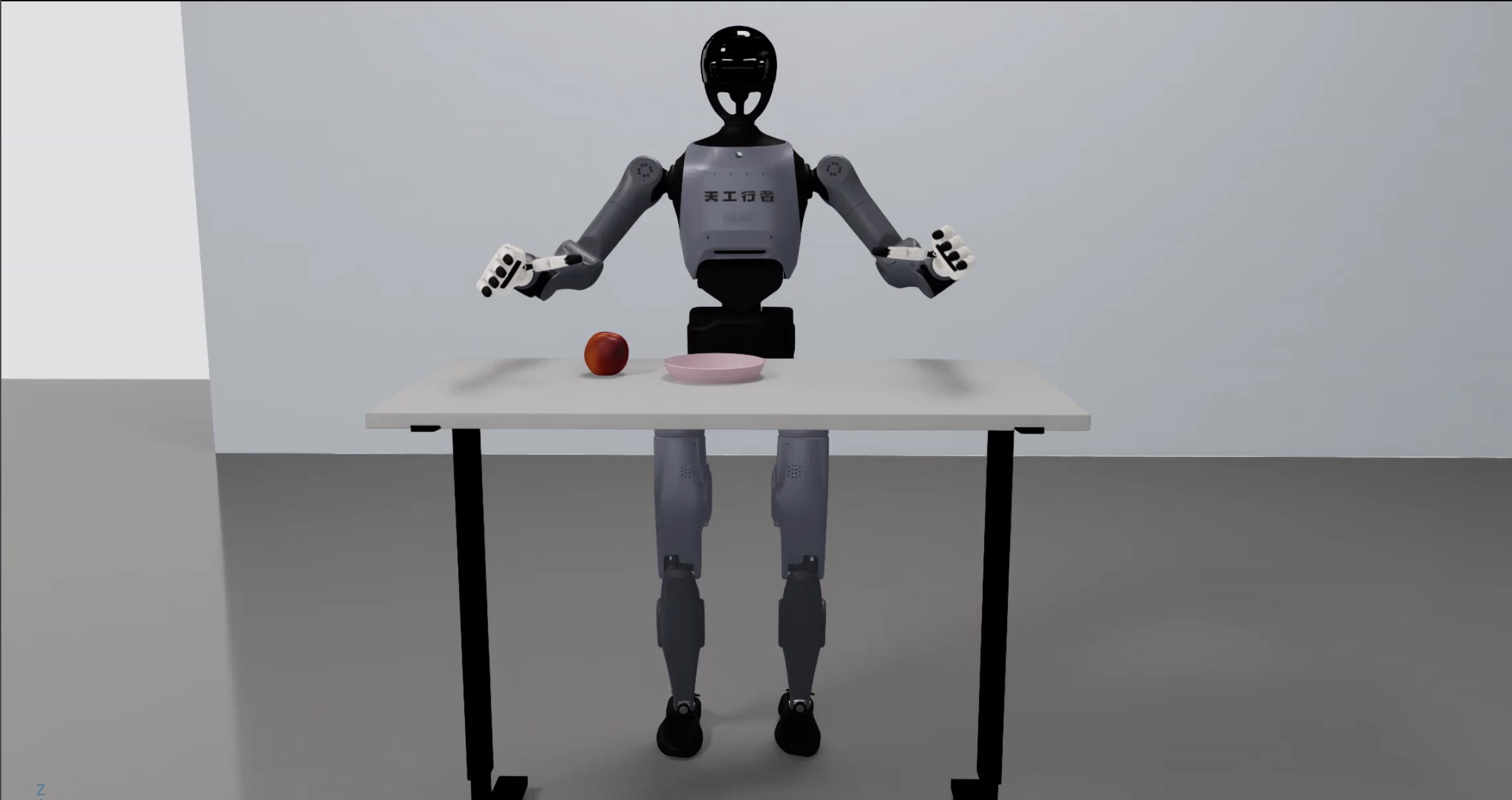
Three-process architecture (Python versions must not be mixed):
Quick start
Commands are split into two parts: build/enter the container on the host; launch simulation and collect data inside the container (container root is
/ubt_sim).
1. Build and start the container (host)
cd ubt_sim/docker
bash run.sh build      # build the ROS 2 + Isaac Sim image
bash run.sh start      # create/start the container
bash run.sh init       # build ros2_bridge_msgs / Inspire / BrainCo messages and the C++ image bridge (first time only)
bash run.sh check      # verify GPU / ROS 2 / message packages / numpy<2
See Simulation Platform · Container Setup for the build workflow.
⚠️
run.sh initis mandatory: the Dex bridge exits if/opt/ubt_sim/tienkung_dex_msgs/install/setup.bashis missing. It also writes the robot message workspaces into the container's/root/.bashrc, so interactive shells source them automatically.⚠️ Must be changed before real-robot integration: set the
docker/fastdds_no_shm.xmlwhitelist to the robot's direct-link NIC IP (restart the container after editing). Pure simulation only needs127.0.0.1.
2. Launch simulation (container)
# Enter the container
cd ubt_sim/docker/
bash run.sh bash

# Start simulation and the ROS2-ZMQ bridge
UBT_SIM_TASK=UBTSim-TienkungDex-Parlor-v0 bash scripts/start_sim.sh
The two scenes correspond to the two hand variants:
| Task ID | Hand | Joints | Config |
|---|---|---|---|
UBTSim-TienkungDex-Parlor-v0 |
Inspire RH5DG2 | 67 | config/tienkung_dex/parlor.yaml |
UBTSim-TienkungDex-Brainco-Parlor-v0 |
BrainCo Revo2 | 53 | config/tienkung_dex/brainco_parlor.yaml |
start_sim.sh infers the variant from the task name (Brainco → brainco) and passes --variant to the bridge. Press R to reset the robot/scene.
Demo (picking an apple from the table):
Common environment variables:
| Variable | Default | Description |
|---|---|---|
UBT_SIM_TASK |
UBTSim-TienkungPro-Parlor-v0 |
Set to UBTSim-TienkungDex-Parlor-v0 to enable DEX |
UBT_SIM_NUM_ENVS |
1 |
Number of parallel environments |
UBT_SIM_LOAD_ONLY |
Unset | Render only, no ROS (--device cpu by default) |
UBT_SIM_NO_BRIDGE |
Unset | Set to 1 to skip starting the bridge |
UBT_SIM_TIENKUNG_DEX_CMD_PORT / _STATUS_PORT / _IMAGE_PORT / _JPEG_PORT |
5755/5756/5757/5758 | ZMQ ports (must match bridge_config.yaml) |
ROS_DOMAIN_ID |
0 |
Default 0 (same domain as hardware); simulation and deployment containers must use the same value; set both to 146 to isolate |
A shell entered with
run.sh bashpresetsROS_DOMAIN_IDfromdocker/env.sh(default 0). When launching from there, explicitlyexport ROS_DOMAIN_ID=0to avoid mixing with hardware.
3. Data collection (container, system Python 3.10)
# Batch collection: each episode runs reset -> ready pose -> grasp -> place on plate -> ready pose, and is saved only on success
bash teleoperation/control/tienkung_dex/save_data.sh --batch 20
- Sampling rate 15 Hz; one
camera_headRGB stream plus depth; right arm 7 + right hand 13 (Inspire) or 6 (BrainCo). - Output:
/ubt_sim/dataset/tienkung_dex/<epoch>/trajectory.hdf5, with attributes for joint names / fps / hand variant / task. - With 20 collected episodes, proceed directly to conversion.
4. Camera test (container)
# Live preview (cv2.imshow, requires X11; press Q/ESC to exit)
/usr/bin/python3 teleoperation/control/tienkung_dex/tienkung_dex_controller.py camera --preview

# Save 5 frames
/usr/bin/python3 teleoperation/control/tienkung_dex/tienkung_dex_controller.py camera --save --count 5
Camera topics: /ob_camera_head/color/image_raw (rgb8) and /ob_camera_head/depth/image_raw (16UC1, millimetres).
5. Dataset preview and playback (container)
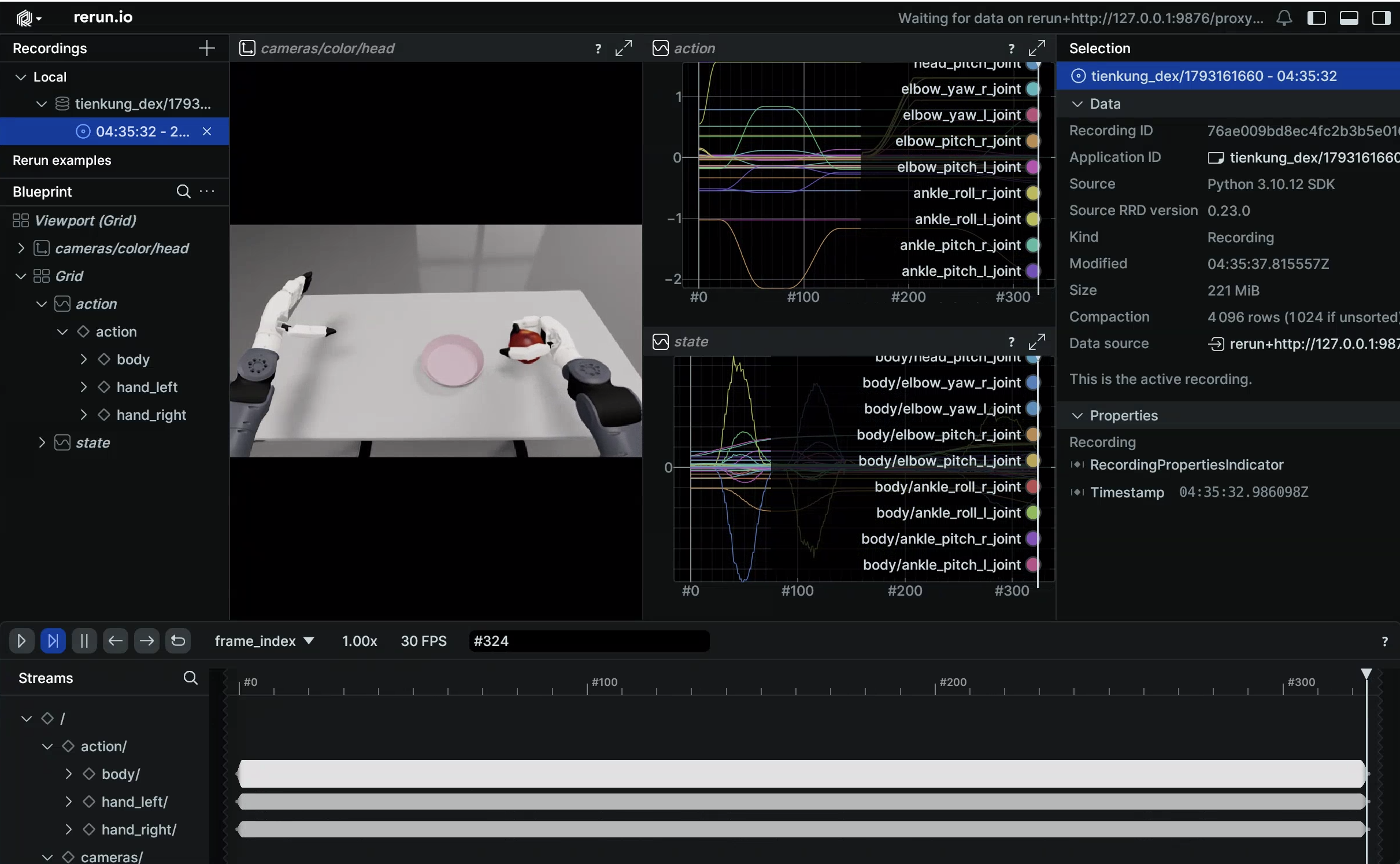
# Preview the dataset (Rerun Web Viewer)
/usr/bin/python3 teleoperation/tools/playback_tienkung_dex.py --mode preview --web-port 9090

# Replay on the same topics as hardware (run the ready pose first)
/usr/bin/python3 teleoperation/control/tienkung_dex/tienkung_dex_controller.py play ready
/usr/bin/python3 teleoperation/tools/playback_tienkung_dex.py \
    --episode dataset/tienkung_dex/<timestamp>/trajectory.hdf5 --mode control
The message workspaces are written into /root/.bashrc by run.sh init and loaded automatically in interactive shells. See Playback for all options and real-robot notes.
Simulation modules
| Module | Path | Description |
|---|---|---|
| Docker orchestration | ubt_sim/docker/run.sh |
Image build, container lifecycle, message compilation |
| Simulation launcher | ubt_sim/scripts/start_sim.sh |
Detects the hand variant from UBT_SIM_TASK and starts the bridge |
| Task definitions | ubt_sim/source/ubt_sim/task/tienkung_dex_parlor/, tienkung_dex_brainco_parlor/ |
Apple-picking scenes for both hands |
| Runtime config | ubt_sim/config/tienkung_dex/parlor.yaml, brainco_parlor.yaml |
Scene/camera/device parameters |
| ROS2-ZMQ bridge | ubt_sim/teleoperation/bridges/tienkung_dex/ |
Bridge script + bridge_config.yaml |
| Control and collection | ubt_sim/teleoperation/control/tienkung_dex/ |
tienkung_dex_controller.py / save_data.sh / reset.py |
| Playback | ubt_sim/teleoperation/tools/playback_tienkung_dex.py |
Preview / action playback |
| Data output | ubt_sim/dataset/tienkung_dex/<timestamp>/trajectory.hdf5 |
Collected episodes |
ZMQ ports
| Port | Purpose |
|---|---|
| 5755 | Control commands (bridge PUB → sim SUB) |
| 5756 | Robot state (sim PUB → bridge SUB) |
| 5757 | Raw camera images (sim publishes RGB + uint16 depth; the C++ image bridge converts them to ROS topics) |
| 5758 | JPEG stream (published by simulation, for debugging) |
The
ubt_ILDex plugin uses 5559/5560 (actions/state) + 5558 (real-robot camera JPEG). See Architecture · ZMQ ports for the cross-robot overview.
ROS 2 topics
| Direction | Topic | Type |
|---|---|---|
| sub | /arm/cmd |
ArmCtrl (right arm; same family as hardware) |
| sub | /head/cmd |
HeadCtrl |
| sub | /waist/cmd |
ArmCtrl |
| sub | /leg/cmd |
ArmCtrl (published in simulation, not on hardware) |
| sub | /right_hand/angle_set, etc. |
Inspire / BrainCo hand messages |
| pub | /robot_state |
RobotState (about 200 Hz) |
| pub | /ob_camera_head/color/image_raw |
sensor_msgs/Image (rgb8) |
| pub | /ob_camera_head/depth/image_raw |
sensor_msgs/Image (16UC1, millimetres) |
| pub | /sim/task_completed |
std_msgs/Float32 (apple-center to plate-center distance; task success metric) |
Troubleshooting
- Simulation reports missing USD: pull all Git LFS assets (
git lfs pull);--variantmust match the task ID. bash run.sh check/ bridge reports missing message packages: rerunbash run.sh init; verifynumpy<2,ros2_bridge_msgs, and the Inspire/BrainCo hand packages.- Collection script fails to import rclpy / message types: use
/usr/bin/python3, not Isaac Sim Python. save_data.sh --batchtrips the consecutive-failure breaker: usually the bridge is not ready. Verify the simulation window is running andpgrep -f tienkung_dex_ros2_zmq_bridgereturns a process.run.sh bridge-startonly starts the Pro bridge; Dex must be started viastart_sim.shor the bridge script directly.- Head/arm still catching up after the trajectory ends: the simulation loop runs at about 11 Hz (RTF≈0.11); wall-clock trajectories exceed joint velocity limits when converted to simulation time. This is a time-base issue and does not affect hardware.
- Keyboard teleoperation / preview has no window: requires X11 and
DISPLAY; runxhost +on the host. On headless machines usesave_data.sh --batch. - Hardware receives no topics: check that the
docker/fastdds_no_shm.xmlwhitelist contains the direct-link NIC IP and thatROS_DOMAIN_ID=0.
After collection, continue with Imitation Learning Platform.