Walker C1 EDU: Simulation Platform
The Walker C1 EDU simulation is built on NVIDIA Isaac Sim (Isaac Lab 2.2.0). A ROS2-ZMQ bridge publishes simulation state and images on exactly the same ROS 2 topics as the real robot, enabling sim-to-real consistent teleoperation and data collection. The whole environment runs in a Docker container.
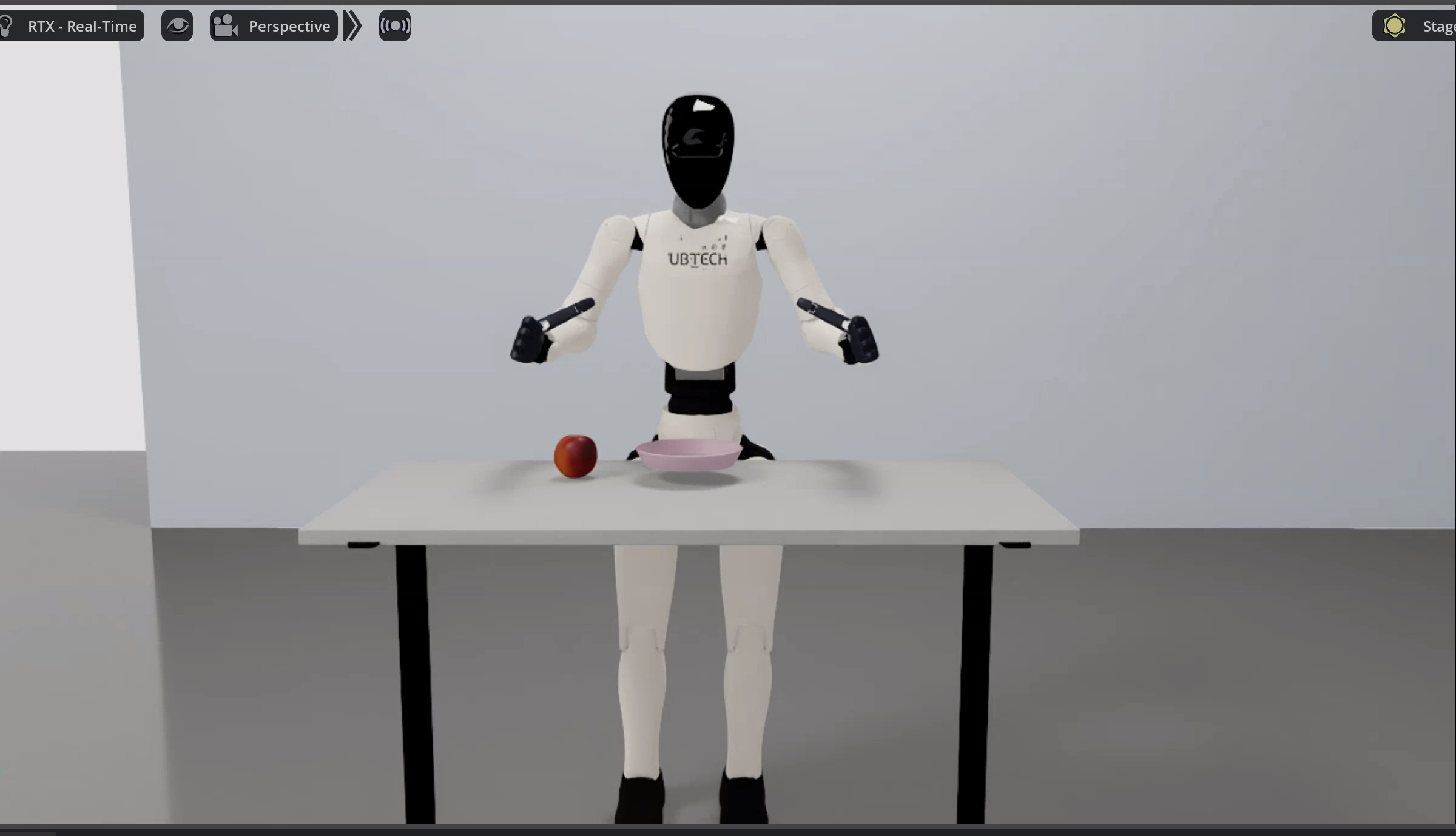
C1 shares the same SDK topic surface (mc_task_msgs / mc_state_msgs) with Walker S2 EDU, but the message packages are isolated and selected by UBT_SIM_ROBOT=walker_c1. Both robots use simulation bridge ports 5655-5658, so they cannot run at the same time.
Quick start
Commands are split into two parts: build/enter the container on the host; launch simulation and collect data inside the container (container root is
/ubt_sim).
1. Build and start the container (host)
cd ubt_sim/docker
bash run.sh build      # build the ROS 2 + Isaac Sim image
bash run.sh start      # create/start the container
bash run.sh init       # build robot message packages (including walker_c1_msgs), first time only
bash run.sh check      # verify GPU / ROS 2 / message packages / numpy<2
See Simulation Platform · Container Setup for the build workflow.
⚠️ Must be changed before building (real-robot or cross-machine deployment): edit
interfaceWhiteListinubt_sim/docker/fastdds_no_shm.xmland set<address>to the IP of the direct-link NIC (Thor side192.168.11.3, Walker peer192.168.11.99). The file is copied into the image at build time; changes after the build have no effect. Pure local simulation over loopback can keep the default.
2. Launch simulation (container)
# Enter the container (ROS 2 and C1 message packages sourced automatically)
UBT_SIM_ROBOT=walker_c1 bash run.sh bash

# Option 1: C1-specific script (GPU rendering + CPU PhysX, 100 Hz physics step by default)
bash scripts/start_c1_pick_place_sim.sh

# Option 2: unified launcher
UBT_SIM_TASK=UBTSim-WalkerC1-Parlor-v0 bash scripts/start_sim.sh
Startup prints the ZMQ ports, action joint order, and a hand joint limit/gain summary.
- Press
Rto reset the robot/scene;Spacerequests saving the current episode (works with the ROS-side recorder). - When the simulation window closes, the exit trap in
start_sim.shstops the bridge automatically.
Demo (picking an apple from the table):
Common environment variables/arguments (combinable):
| Variable / argument | Purpose | Default |
|---|---|---|
UBT_SIM_TASK |
Task name (determines the robot) | UBTSim-TienkungPro-Parlor-v0; use UBTSim-WalkerC1-Parlor-v0 for C1 |
UBT_SIM_ROBOT |
Message package selection inside the container | Set to walker_c1 when entering the container |
UBT_SIM_WALKER_C1_USD_PATH |
Override the robot USD | usd/walker_c1_merged.usd |
UBT_SIM_C1_STEP_HZ |
Physics step rate | 100 |
UBT_SIM_LOAD_ONLY=1 |
Load the scene only, no bridge | Off |
--headless |
Run without a window | Common on headless servers |
--device cpu\|cuda |
Execution device | cpu (default in the C1-specific script) |
3. Data collection (container, system Python 3.10)
# Single episode: reset scene -> ready pose -> one online-IK pick-and-place -> save only on success
bash teleoperation/control/walker_c1/save_data.sh

# Batch: 20 episodes, reset between episodes, save only successful ones
bash teleoperation/control/walker_c1/save_data.sh --batch 20

# Interactive recording (Enter/s/q)
bash teleoperation/control/walker_c1/save_data.sh --manual
- Episode flow: reset scene -> task ready pose -> one online-IK pick-and-place -> save only if the task succeeds.
- Sampling rate 15 Hz; one
camera_headstream at 640×480 PNG, 31 body joints + 6 channels per hand. - Output path:
/ubt_sim/dataset/walker_c1/<epoch seconds>/trajectory.hdf5(directories 0777, files 0666). - Before collecting, verify
/mc/sdk/robot_stateis publishing (about 48 Hz) and keep hand gains at10/1witheffort_limit_sim=2.
HDF5 layout for one episode:
| Path | Shape | Meaning |
|---|---|---|
joint_observations/joint_position |
(T, 31) | L arm 0-6 / R arm 7-13 / head 14-15 / waist 16-18 / legs 19-30 |
hand_observations/hand_left_position |
(T, 6) | Left hand SDK 6 channels |
hand_observations/hand_right_position |
(T, 6) | Right hand SDK 6 channels |
action_observations/* |
Same | Most recently commanded values |
camera_observations/color_images/camera_head |
(T,) | PNG byte stream, 640×480 |
timestamp |
(T,) | Collection timestamp |
4. Reset (container)
# Task ready pose (three stages: raise shoulder -> fold elbow -> ready pose)
/usr/bin/python3 teleoperation/control/walker_c1/reset.py --mode task

# Scene reset (equivalent to pressing R in the simulation window)
/usr/bin/python3 teleoperation/control/walker_c1/reset.py --mode sim-scene
reset.py also supports sim-task (scene + task ready pose) and sdk-home (all SDK joints at zero).
5. Dataset preview and playback (container)
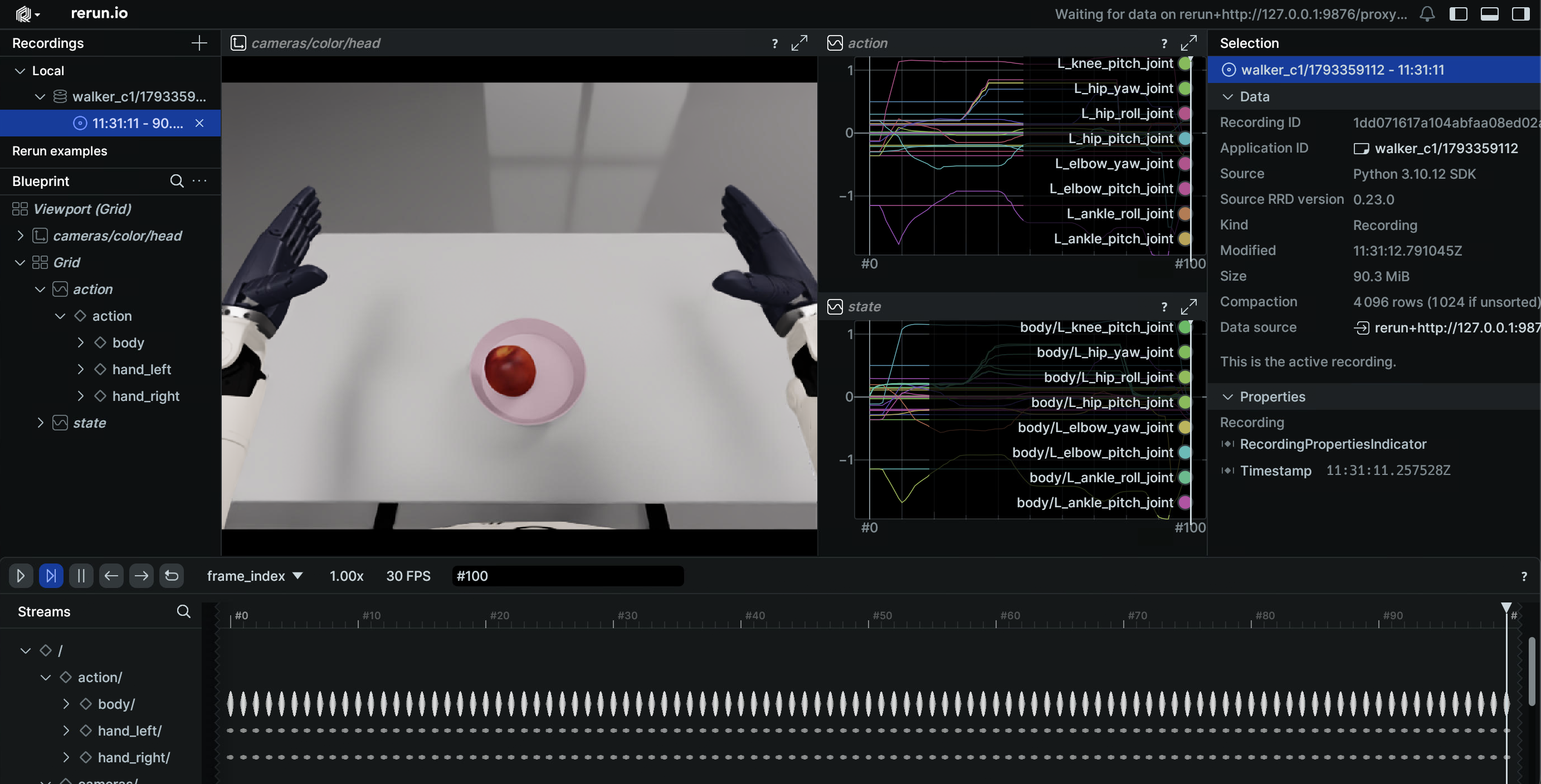
# Preview an HDF5 episode (Rerun)
/usr/bin/python3 teleoperation/tools/playback_walker_c1.py --mode preview

# Action playback (same topics in simulation and on the real robot)
/usr/bin/python3 teleoperation/tools/playback_walker_c1.py \
    --episode dataset/walker_c1/<epoch seconds>/trajectory.hdf5 --mode control
See Playback for all options and safety notes.
Simulation modules
| Module | Path | Description |
|---|---|---|
| Docker orchestration | ubt_sim/docker/run.sh |
Image build, container lifecycle, bridge start/stop |
| Environment variables | ubt_sim/docker/env.sh |
Container name, image, ROS_DOMAIN_ID |
| Simulation launcher | ubt_sim/scripts/start_sim.sh |
Detects the robot from UBT_SIM_TASK and starts the bridge |
| C1-specific launcher | ubt_sim/scripts/start_c1_pick_place_sim.sh |
GPU rendering + CPU PhysX, 100 Hz step |
| Task definition | ubt_sim/source/ubt_sim/task/walker_c1_parlor/ |
Parlor apple-picking scene |
| Simulation config | ubt_sim/config/walker_c1/parlor.yaml |
Scene/camera/device parameters |
| ROS2-ZMQ bridge | ubt_sim/teleoperation/bridges/walker_c1/ |
Bridge script + walker_c1_bridge_config.yaml |
| Control and collection | ubt_sim/teleoperation/control/walker_c1/ |
reset.py / pick_place_controller.py / save_data.sh / online IK |
| Playback | ubt_sim/teleoperation/tools/playback_walker_c1.py |
Preview / action playback |
| Data output | ubt_sim/dataset/walker_c1/<timestamp>/trajectory.hdf5 |
Collected episodes |
ZMQ ports
| Port | Purpose |
|---|---|
| 5655 | Control commands (bridge PUB) |
| 5656 | Robot state (bridge SUB) |
| 5657 | Raw camera images (RGB + depth, C++ bridge) |
| 5658 | JPEG stream (debugging) |
The
ubt_ILC1 plugin uses 5661/5662/5663, which do not conflict with the simulation bridge ports 5655-5658, so both can run together. See Architecture · ZMQ ports for the cross-robot overview.
ROS 2 topics
| Direction | Topic | Type |
|---|---|---|
| sub | /mc/sdk/robot_command |
mc_task_msgs/RobotCommand |
| sub | /mc/left_hand/command, /mc/right_hand/command |
mc_task_msgs/JointCommand |
| pub | /mc/sdk/robot_state |
mc_state_msgs/RobotState (31 joints) |
| pub | /mc/{left,right}_hand/joint_states |
sensor_msgs/JointState (SDK 6-joint order) |
| pub | /sim/object_state |
std_msgs/String |
| pub | /sim/episode_complete |
std_msgs/Bool |
| pub | /sensor/camera/head/color/raw |
sensor_msgs/Image (BEST_EFFORT) |
Troubleshooting
bash run.sh checkreports errors: follow the prompt and rerunbash run.sh init; verifynumpy<2andwalker_c1_msgs.- Collection script fails to import rclpy / message types: make sure you are using
/usr/bin/python3, not Isaac Sim Python, and thatbash run.sh inithas been run. - Bridge exits with
RMW implementation not installed: the image only shipsrmw_cyclonedds_cpp.start_sim.sh/save_data.shdetect it automatically; export it manually when starting the bridge yourself. Address already in use (tcp://*:5656): a previous bridge did not exit cleanly.kill -9the remainingsim_runner/ros2_zmq_bridge, confirm ports 5655-5658 are free, then restart.- Command streams mix when Walker S2 is also running: both use ports 5655-5658; run only one robot at a time.
- Controller reports
no /mc/sdk/robot_state: the bridge is not running (usually a port conflict). Check withros2 topic hz /mc/sdk/robot_state(about 48 Hz). - Apple is missed or flies away: keep hand gains at
10/1andeffort_limit_sim=2; do not increase them to old debug values. - X11 unavailable / no simulation window: run
xhost +on the host and verifyDISPLAYis forwarded; on a headless machine use--headlesswithsave_data.sh --batch.
After collection, continue with Imitation Learning Platform.